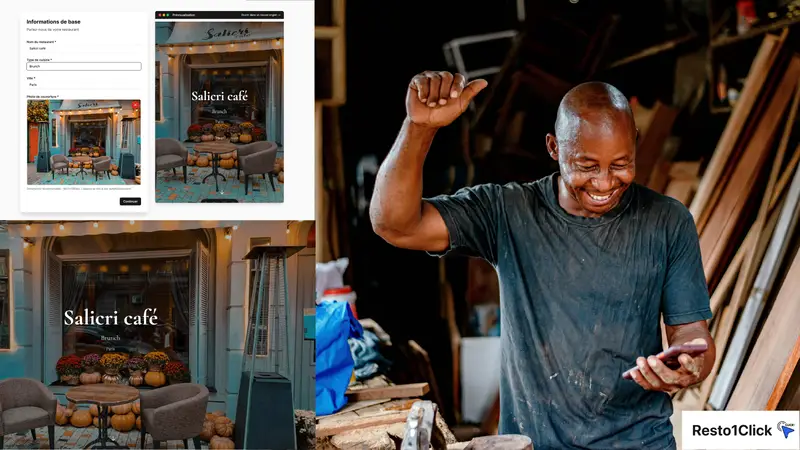
Create a Free Restaurant Website in 10 Minutes
With Resto1.Click, getting your restaurant online takes 10 minutes: sign up, fill in your details, choose a template, and your site is live. From your smartphone, tablet, or computer. No technical skills or credit card required.
Why a Website Is Essential in 2026
Most diners search on Google before choosing a restaurant. Without a website, you don’t show up in local search results — you’re handing customers to your competitors.
A website lets you:
- Rank on Google: local SEO, Google Maps, voice searches
- Show your menu 24/7: customers check your menu before they come in
- Control your brand: you choose the photos, the copy, the vibe
- Drive calls and visits: tap-to-call button, Google Maps directions
What You Need Before You Start
The onboarding is just 2 steps and takes under 5 minutes. All you need:
- Your restaurant name
- 1 photo to start (from your gallery is fine)
Build time: under 5 minutes. Device: your smartphone is all you need.
Your address, phone, opening hours, and menu are added afterward in the dashboard — once your site is live.
Step-by-Step
Step 1: Create your account (1 min)
Go to resto1.click, click “Create my free website,” and sign up with your email. No credit card.
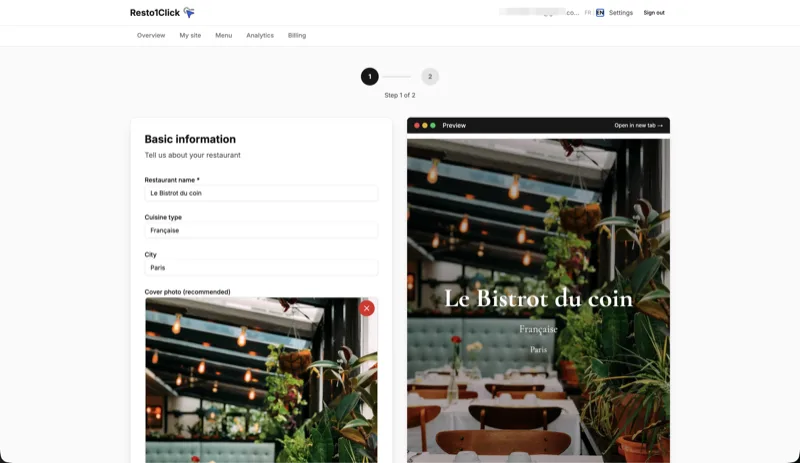
Step 2: Name, cuisine type & cover photo (2 min)
Enter your restaurant name and cuisine type, then add a cover photo from your gallery (exterior, dining room, or a signature dish). Your site preview builds in real time on the right side — you see exactly what your customers will see, with your actual data.
Step 3: Choose your template (2 min)
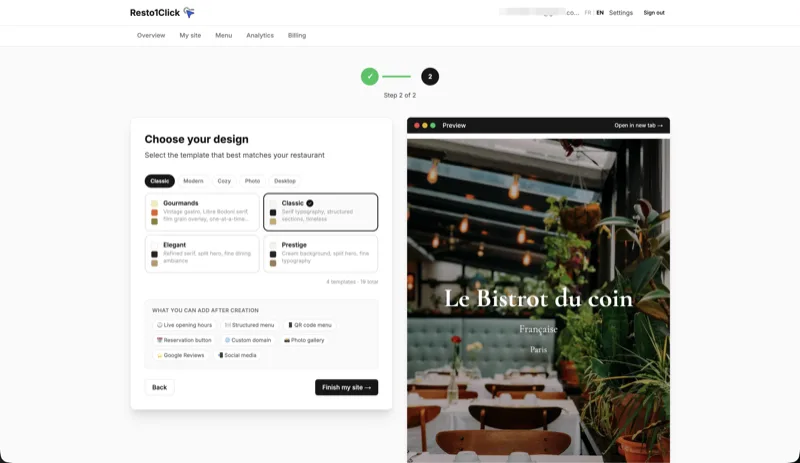
Browse the available designs by category (Classic, Modern, Casual, Photo…) — the preview updates with every selection. All templates are included in both plans.
Click “Create my site”: your website is published instantly at your-restaurant.resto1.click.
After Publishing: Refine From the Dashboard
The onboarding gets you online in minutes. The real customization happens after, at your own pace, from the Edit page in your dashboard:
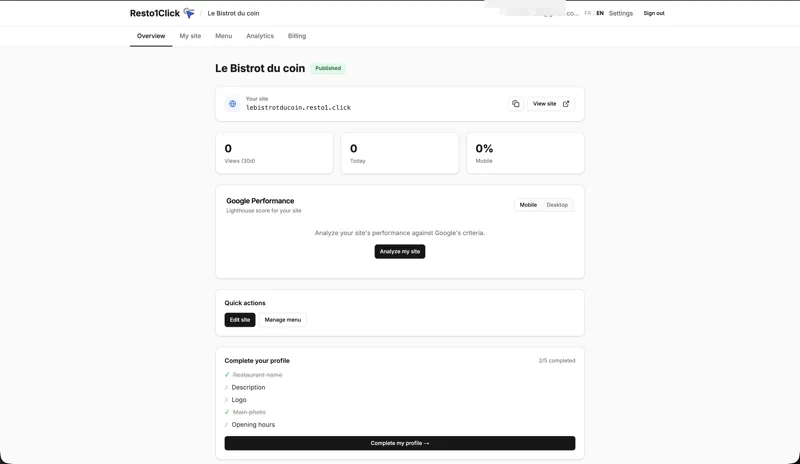
- Structured menu: create your categories (Starters, Mains, Desserts…) and add dishes with prices, photos, and descriptions. Free plan: up to 10 items. Pro plan: unlimited.
- Opening hours: set your days and time slots
- More photos: expand your gallery whenever you want
- Google Maps link: connect your site to your Google listing
- Custom domain:
your-restaurant.com(Pro plan)
Bonus step: Add your site link to your Google Business Profile (Info > Website) to boost your local SEO.
Free vs. Pro Plan
| Feature | Free | Pro (€19/mo or €15/mo billed annually) |
|---|---|---|
| Live website | ✅ | ✅ |
| All templates | ✅ | ✅ |
| Menu | ✅ 10 items | ✅ Unlimited |
| Google Reviews | ❌ | ✅ |
| Downloadable QR code (PNG/SVG) | ❌ | ✅ |
| Custom domain | ❌ | ✅ |
| Advanced analytics | ❌ | ✅ |
| Reservation button | ❌ | ✅ |
| No watermark | ❌ | ✅ |
| Free trial | — | 14 days |
The free plan is perfect to get started. Upgrade to Pro when you want the advanced features.
FAQ
Is it really free?
Yes. The free plan includes the site, a .resto1.click subdomain, all templates, and up to 10 menu items. A “Made with Resto1.Click” badge appears in the footer (removed on Pro). No time limit, no credit card.
Can I edit my site after publishing? Yes, anytime, at no cost. Log in to the dashboard, make your changes, publish. Changes go live instantly.
Can I use my own domain name? Yes, with the Pro plan. You purchase your domain (~€15/year from a registrar like GoDaddy or Namecheap) and Resto1.Click handles the connection.
Will my site rank on Google? Every Resto1.Click site automatically includes Schema.org Restaurant markup, an XML sitemap, optimized meta tags, and high mobile performance — the foundations of local SEO. The rest (getting reviews, updating content regularly) depends on your activity.
Will it work on mobile? Yes, all templates are fully responsive. The menu, photos, and call buttons automatically adapt to smartphones and tablets.
Can I build my site from a smartphone? Yes. Resto1.Click’s interface works entirely from a mobile browser. Sign up, add your menu, upload photos, publish — all from your phone, no computer needed.
Build your site in 10 minutes, no credit card needed.
✓ No technical skills required ✓ Online in 10 minutes ✓ From your smartphone ✓ Free to start